Ecto: An Agent Control Plane Built on Ghostty
Ghostty has been my main terminal for about a year. Getting it running on WSL took a few hurdles, which I wrote about in Building Ghostty on WSL, and after that it became the terminal I spent my days in. It was fast and reliable, and I enjoyed using it every day. Later, when I started trying other terminals built for running agents, I kept measuring their terminal against Ghostty's, and more than once my first question was whether I could swap theirs out for Ghostty's engine.
For most of this year I worked with one coding agent at a time, mostly opencode. Each session picked up where the last one left off by searching opencode's session history, and I asked for that constantly: look at the last few sessions, find what we decided, check the work from the past few days. When I wanted another model involved, I wrote a spec to a file or pasted the context across by hand.
Using several agents started with PromptGenius, where I write guides for coding tools. To write about each one I had to actually use it, so the list kept growing: opencode and Claude Code first, then Antigravity, pi, and later oh-my-pi and Codex. Most of it was experimentation: installing each one, connecting model providers, seeing how it handled sessions and context, and writing up what worked.
As I started running more of them at the same time, I wanted more from the terminal itself. I tried herdr, a terminal multiplexer built for agents, with tabs and panes that one agent can drive from another. From an opencode session I had it start Codex in one herdr tab, pi in another and jcode in a third, all pointed at my PromptGenius project, then had the three tabs discuss the same to-do list. I was comparing control planes to write about for PromptGenius, and it showed both the promise and the risk: one coordinating prompt went out as "update the tasks", the agents started editing real files during what was meant to be a test, and I spent a good part of the session reverting their changes.
I also tried subagent workflows inside a single tool. I set up opencode as the driver, with GPT-6.1 Sol as the main model planning and reviewing, and subagents on GPT-6 Luna, GLM 5.3 Flash and DeepSeek V4.1 Flash doing the heavier work. It worked, but it felt clunky. Asking it to count the to-do files across my projects took DeepSeek about 80 seconds and Luna about 40, and both came back with the wrong number; the main model only got the right number by searching directly. Every setup had its own way of starting agents, picking models and passing context, and none of them gave me panes that could read each other and agents that could share context, on top of a terminal that behaved like the one I used every day.
Ecto keeps the part of Ghostty I already trusted — libghostty-vt, the embeddable terminal engine — and builds the agent control plane around it. The engine handles the terminal, and Ecto adds what makes several agents usable together.
What Ecto is
The name is a nod to Ghostty. Ecto is short for ectoplasm, the stuff ghosts are made of, and the app is built around Ghostty's engine: made of ecto, with a libghostty core.
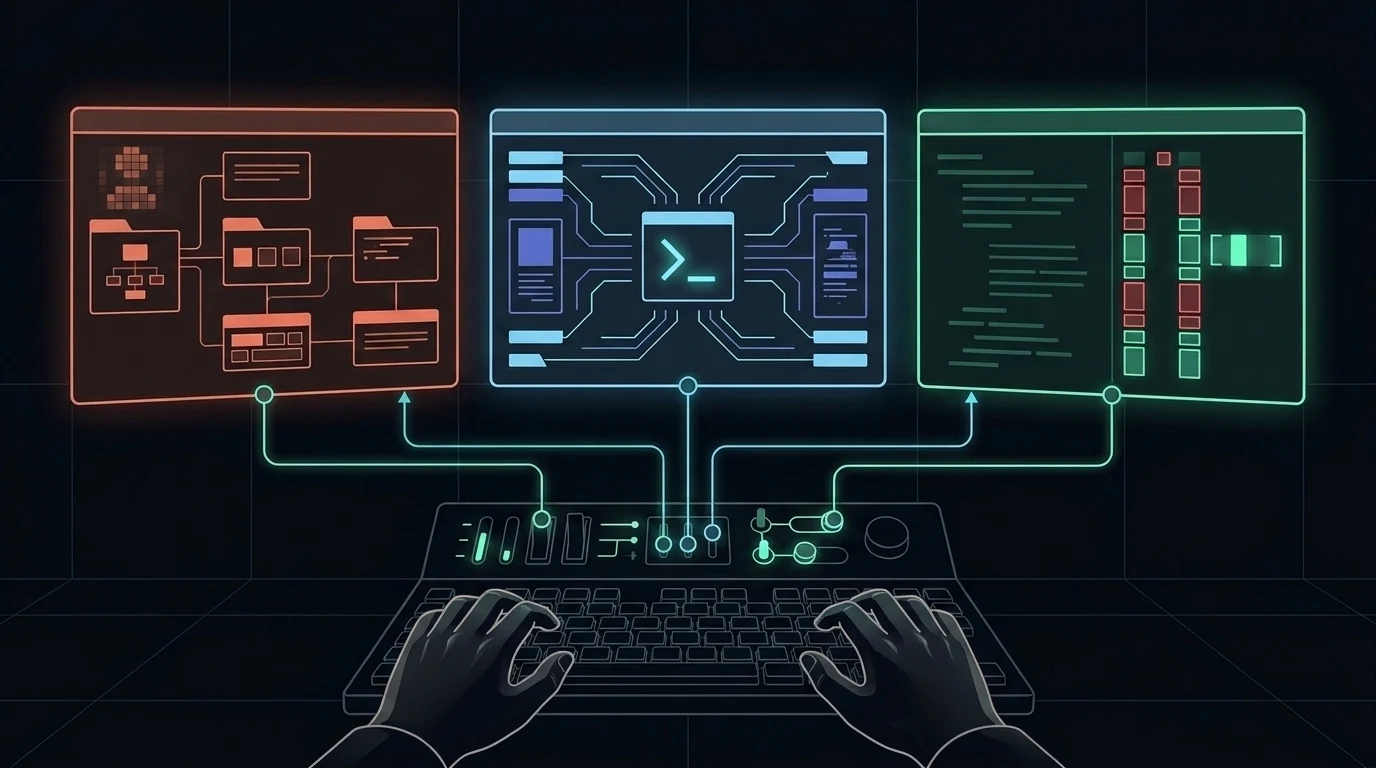
Ecto is a native workspace for macOS, with Linux and Windows as previews. Panes, tabs and windows hold shells and coding agents side by side. Panes split horizontally or vertically, tabs group them, and windows separate projects. Each pane can run a shell or an agent. A pane carries its working directory, its process and, when it is an agent, the identity of that agent. The tab bar and sidebar show the same names, so the model is consistent whether I am looking at the layout or at a list.
When I quit and reopen, Ecto restores the layout, working directories and terminal scrollback. It also tries to resume agent conversations through each harness's own session support. Current integrations include Claude Code, Codex, opencode, Gemini CLI, Amp, Cursor Agent, GitHub Copilot, Grok, pi, oh-my-pi and Kimi. Conversation resume depends on the harness and whether Ecto can identify the saved session, while scrollback and conversation history help me pick up where I left off. I spend less time reconstructing the workspace before getting back to work.
Agents can see, read and message each other's panes. Ecto identifies which agent is running in each pane, so a pane carries the agent's name. The workspace is local: it runs on my machine, against my files, with my shells and my agent installations.
Why a control plane
Running several agents at once creates a supervision problem. At any moment I need to know who is running, who is waiting for input, who finished, and what each one said. With four or five agents spread across tabs, that becomes a memory game.
A morning looks like this: one agent is halfway through a refactor, one is blocked waiting for a decision, one has finished and is sitting at its prompt, and one is running a test suite. I need to find the blocked one, read the finished one's summary, and leave the test run alone. In a normal terminal that means clicking through tabs and reconstructing each conversation from scrollback.
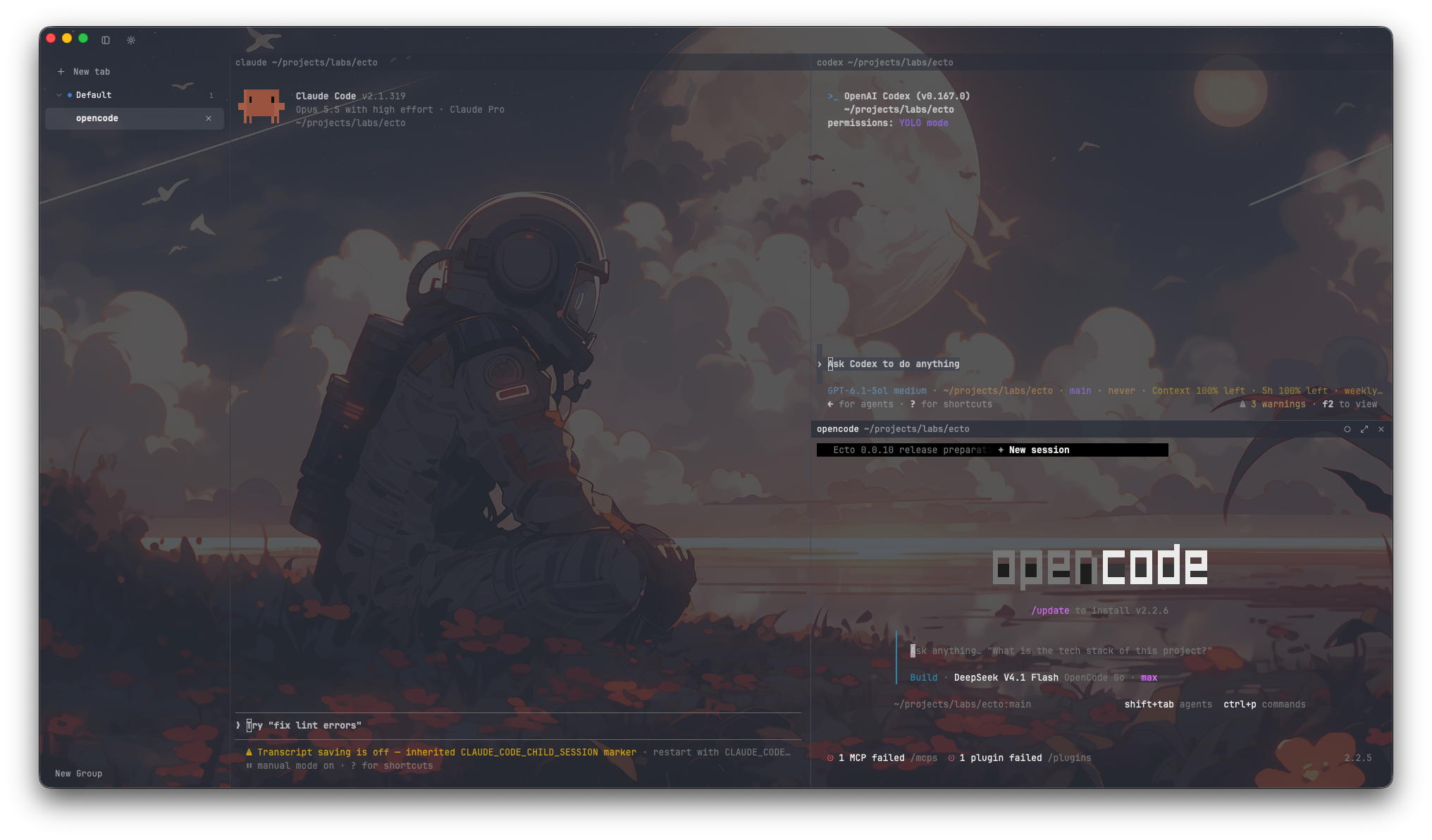
The control plane is the part of Ecto that answers those questions and lets me act on them. I can list the panes, read what an agent has printed, send a prompt or a keystroke, address a pane by name or direction, and keep the session oriented around the work. The same controls are available to the agents, so I can ask one to inspect another's pane or send it a prompt.
This article went through the same workflow. Claude ran in one Ecto pane and opencode in the pane next to it. Claude read opencode's draft plan straight from its pane, sent back corrections, switched it into build mode and handed it the writing task. I never had to copy text between them.
What Ghostty provides
libghostty-vt is the terminal engine inside Ghostty, packaged as a library. It parses everything a program sends to the terminal and keeps track of what's on screen, including the Kitty keyboard and graphics protocols that modern tools rely on. It's the same code that runs Ghostty itself, and a growing number of other terminals are being built on it.
Using it meant I started from a terminal I already trusted. The agents I run all day behave in Ecto the way they do in Ghostty, so most of the hard terminal work was already done. There was still work at the edges, like getting keyboard input to come through exactly right, but most of my time went into the workspace instead of into the terminal itself.
libghostty 1.0 was announced on Nov 6. Until then the library made no promise of stability, so every upgrade could mean changes on my side. 1.0 changes that with a stable interface and its own release cycle, separate from the Ghostty app. For anyone building on it, that's the point where it becomes a dependable foundation.
Ecto builds the workspace around that engine in Rust on GPUI, the framework Zed is built with. It adds GPU rendering, tabs, splits, windows, session restore, settings and themes, along with agent identity and the controls for reading and messaging panes. It avoids unnecessary redraws, keeping the terminal's resource use low when the workspace is idle.
How it was built
Ecto didn't start from a blank page. Pebrel had agents sending commands to other panes, herdr had a control plane for driving agents in tabs, and Calyx showed that libghostty could carry a real terminal. I borrowed ideas from all three, and once Ecto could run agents, I built the rest of it inside Ecto. Specs, code, reviews and releases moved between agents in its own panes, through the same pane control the app was growing.
I tried a lot of model and harness combinations along the way. Right now my lineup is Claude Opus 5.5 in Claude Code, Codex on GPT-6.1 Sol, opencode on DeepSeek V4.1 Flash 1017, and Antigravity on Gemini 3.8 Flash.
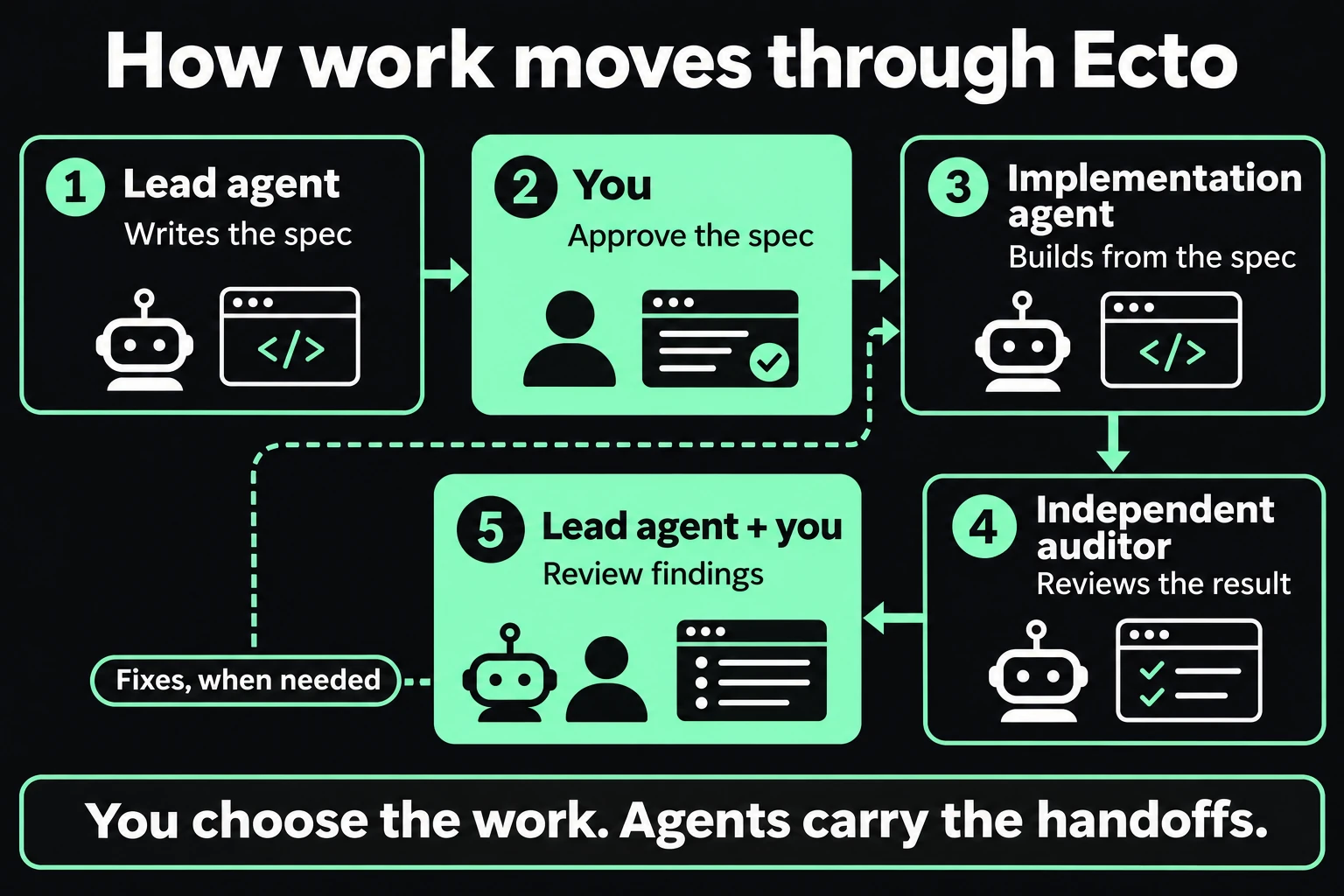
Claude and Codex trade off as the lead. Whichever one leads talks with me, writes the specs and reviews what comes back, and the other picks up heavy jobs like release engineering or the Windows port. Opus usually has the edge, but every model has bad days, so nothing goes in without a review. opencode on DeepSeek handles most of the volume: searches, digging through history, and edits written from a spec. Antigravity mostly audits the others' work, and it also takes the occasional implementation task and runs the Linux and Windows builds.
Most work follows the same loop. The lead writes a spec, I approve it, and it goes to the opencode pane. The result gets an independent audit, and the lead decides what to fix and what to send back.
The lineup will keep changing, and Ecto is meant to make swapping harnesses easy. Next I want to bring in herdr and jcode, since both have swarm features that would sit well on top of Ecto's panes.
Building it while using it
The work has gone well beyond getting several agents into a window. Across the early releases we added settings, session restore, agent conversation resume, runtime diagnostics and Linux and Windows previews. Moving to libghostty-vt 1.0 meant updating the integration and comparing terminal behavior against the old version. Codex ran baseline comparisons and audited the migration, with fixes and further checks following the findings.
Much of that work is hard to show in a screenshot. A prompt sent by another agent needs to use the terminal's keyboard modes correctly. A restored pane needs to find the right conversation. Recovery needs to handle an unreadable snapshot without overwriting it. These details decide whether I can trust the workspace enough to leave a project in it overnight.
Agent status is a more visible example. With several agents open, I wanted to see which one was working, waiting or finished without opening each pane. Claude compared Ecto with other agent terminals and wrote the spec, opencode built it, and Codex audited each round. The first audit found that a bell in a background tab could lose its attention dot when the agent's own status took over, and the second found that a failed pane could hide its bell. Each finding went back to opencode as a small fix-up. Now each pane header, tab and sidebar row shows a distinct shape for working, waiting, needs attention, finished and failed.
As Ecto's pane controls improved, the agents used those controls to do more of Ecto's development. One could read an implementation summary, send an audit task to another pane and bring the findings back to me. I still chose the work and tested the app, but less of my time went into copying messages between tools.
Where it is now
Ecto is the workspace I use every day on macOS, with Linux and Windows available as previews. Downloads are on the Ecto page. The core of Ecto will stay free, and I'm working on a paid edition with extra features on top.
From here, development will be in small increments as needs show up while I use it every day. Better coordination between agents and harnesses is still part of the direction, but the immediate work comes from using the app: noticing something missing, describing it to an agent, reviewing the result and trying it in the workspace where it was built.