ectoBuilt on Ghostty

A terminal workspace for coding agents.

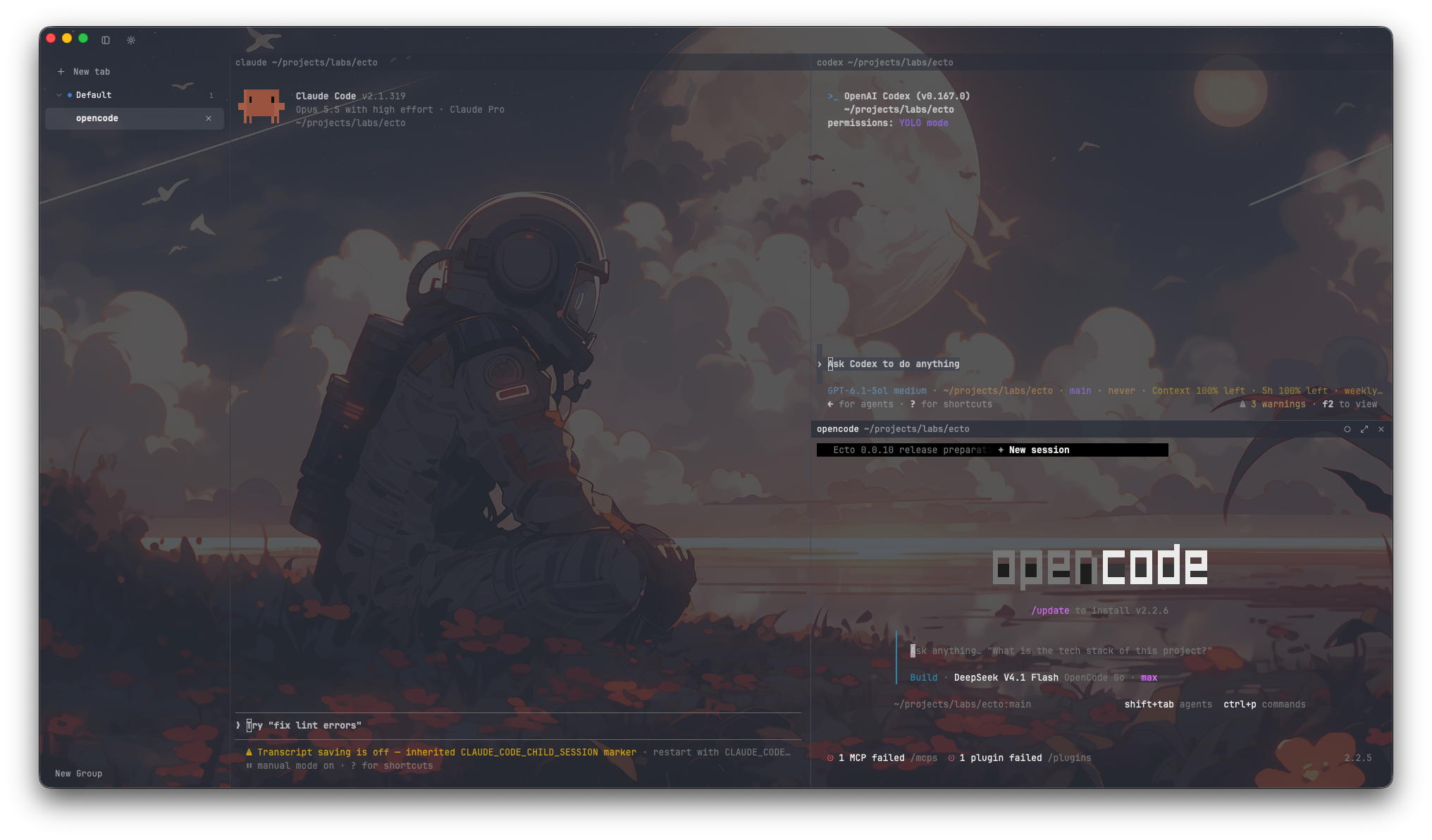
Run Claude Code, Codex, opencode, pi and other coding agents side by side in shells, tabs and split panes. See which one needs you, and pick the workspace back up where you left it.

Rust on GPUI, with libghostty-vt as the terminal core.

Ecto with Claude Code, Codex and opencode running side by side in separate panes
Claude Code, Codex and opencode in one Ecto workspace.Pre-alpha build
Downloads

Get Ecto.

Version0.1.0

macOS

Universal · Apple Silicon + Intel

Primary platform

Version 0.1.0

Universal DMG
Ecto-0.1.0.dmg

Ad-hoc signed. Developer ID signing and notarization are still pending.

Windows

x64 · Windows 10 1809+

Preview

Version 0.1.0

Portable ZIP
Ecto-0.1.0-windows-x64.zip

Unsigned portable ZIP. No installer or auto-update.

All releasesDownloads, release notes and SHA-256 checksums are on GitHub Releases.
Release notes

What’s in 0.1.0

What the current build includes. It is still pre-alpha: 0.x releases can change the config, session format and control protocol.

Release notes on GitHub
  • libghostty-vt 1.0 is the terminal core.
  • Font size is set per tab, and sessions restore it.
  • Agent status shows in pane headers, tabs and the sidebar: working, waiting, needs attention, finished and failed.
  • Background images can be WebP, including transparency.
  • On macOS, the Install ecto command action puts the CLI on your PATH.
  • Fish older than 3.4 now loads the shell integration.
Features

What works now.

What is in the download, what I’m building next, and what is still planned.
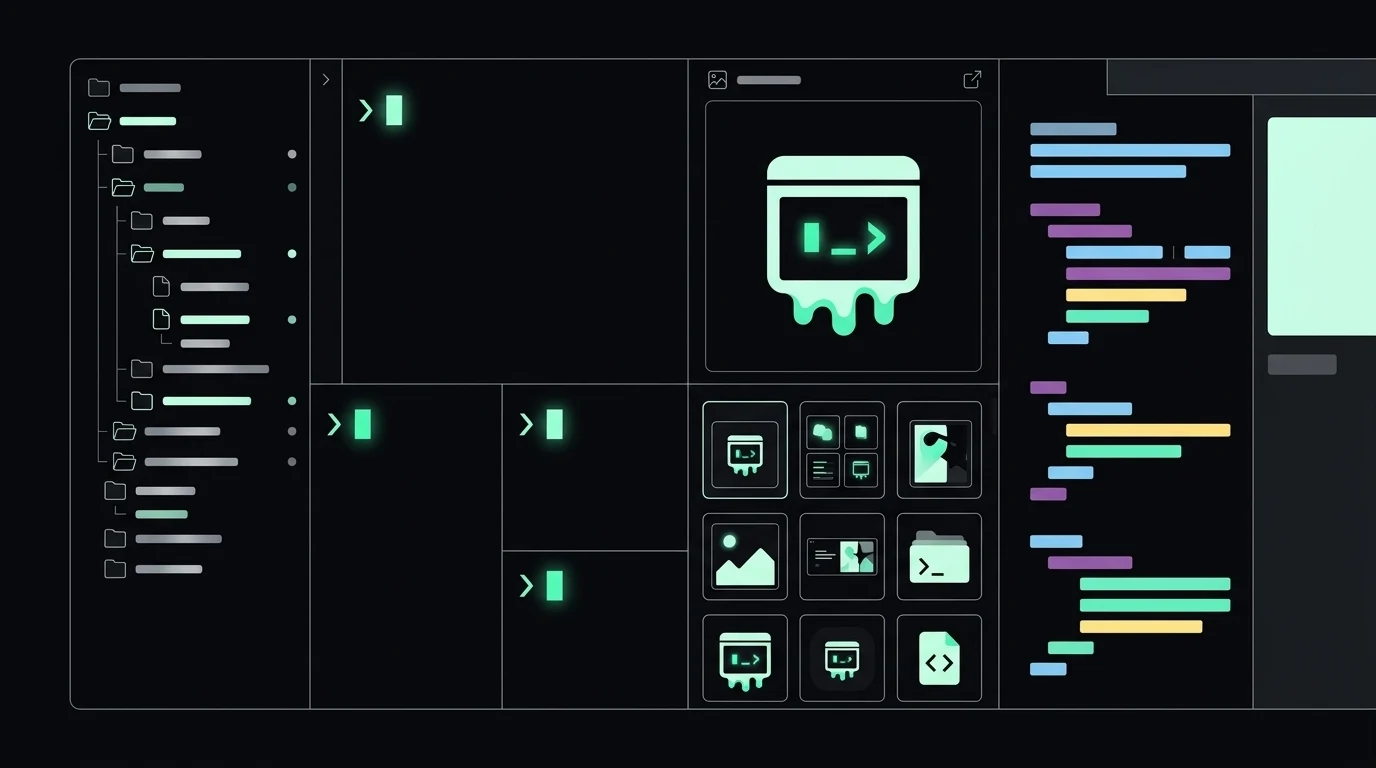
Illustration of an Ecto workspace with a file tree, terminal panes, an image grid and an editor

Illustration of the workspace in development.

In this build

Public download

  • Native terminalRust and GPUI with libghostty-vt 1.0: tabs, splits, windows, themes, a command palette and SSH, with idle CPU near zero.
  • Session restoreRestore the layout, working directories and terminal scrollback. Ecto also tries to resume agent conversations; support depends on the harness and saved session.
  • Pane controlNamed panes, agent identity, and a CLI/MCP surface to list, read and send. Agents can use it when you direct them.
  • SupervisionAgent status indicators in pane headers, tabs and the sidebar, plus runtime diagnostics.
  • Linux and Windows previewsPreview builds for x86_64 Linux and Windows x64. Native GUI acceptance is still pending on both.

In development

Working in my build, not in the download

  • Sidebar file treeA Files view rooted on the focused pane’s working directory, with lazy expansion and a manual refresh.
  • Media panelSingle-image and thumbnail views docked beside the terminal. One panel per window; content is not restored.
  • Text editorOpens a file as a pane with syntax highlighting, find and replace, and save. It is an editor, not a full IDE.
  • Browser paneA macOS-only first cut, opened from the palette. One page per pane; pages do not restore with the session.

Still planned

Direction, not shipped

  • Automated coordinationAgents handing work to each other without you relaying it. Direction, not a shipped feature.
  • Shared spaceA per-project place for notes and handoffs between agents. Planned, not in this build.
  • Browser follow-throughSession restore, terminal link routing, and Linux and Windows support for the browser pane.
  • Platform parityLinux and Windows remain previews; native GUI acceptance is still pending on both.
  • PackagingDeveloper ID signing and notarization, installers and automatic updates.
Install

Run 0.1.0.

Keep the app and its bundled CLI together. The macOS build is the primary one; Linux and Windows are previews.

macOS

Primary
  1. Open Ecto-0.1.0.dmg and drag Ecto to Applications.
  2. The app is ad-hoc signed and not notarized, so macOS blocks the first launch. Open System Settings → Privacy & Security and choose Open Anyway.
  3. Optional: run Install ecto command from the command palette to put the bundled CLI on your PATH.

Requires: macOS on Apple Silicon or Intel. The DMG is universal; no Rust, Zig or build tools are needed.

Linux

Preview

Debian / Ubuntu

sha256sum --check ecto_0.1.0-1_amd64.deb.sha256
sudo apt install ./ecto_0.1.0-1_amd64.deb

Portable tarball

sha256sum --check ecto-0.1.0-linux-x86_64.tar.gz.sha256
tar -xzf ecto-0.1.0-linux-x86_64.tar.gz
cd ecto-0.1.0-linux-x86_64
./bin/ecto

Requires: 64-bit x86 Linux, glibc 2.35+, Wayland or X11, and system graphics drivers. The .deb targets Ubuntu 22.04 and 24.04; the tarball installs nothing system-wide.

Windows

Preview

Verify the ZIP

Get-FileHash .\Ecto-0.1.0-windows-x64.zip `
  -Algorithm SHA256
  1. Extract the ZIP anywhere and run ecto.exe.
  2. Use ecto.com for CLI output, pipes and exit codes.
  3. SmartScreen may warn because the preview ZIP is unsigned. There is no installer or auto-update.

Requires: Windows 10 1809+ on x64. Native GUI acceptance is still pending.

Built on Ghostty

A native room for the agents you already run.